Tennis TV - Live Streaming
- 3.1
- Rating
- 1.00M
- Installs
- Free
- Price

 Analysis by App-foxy
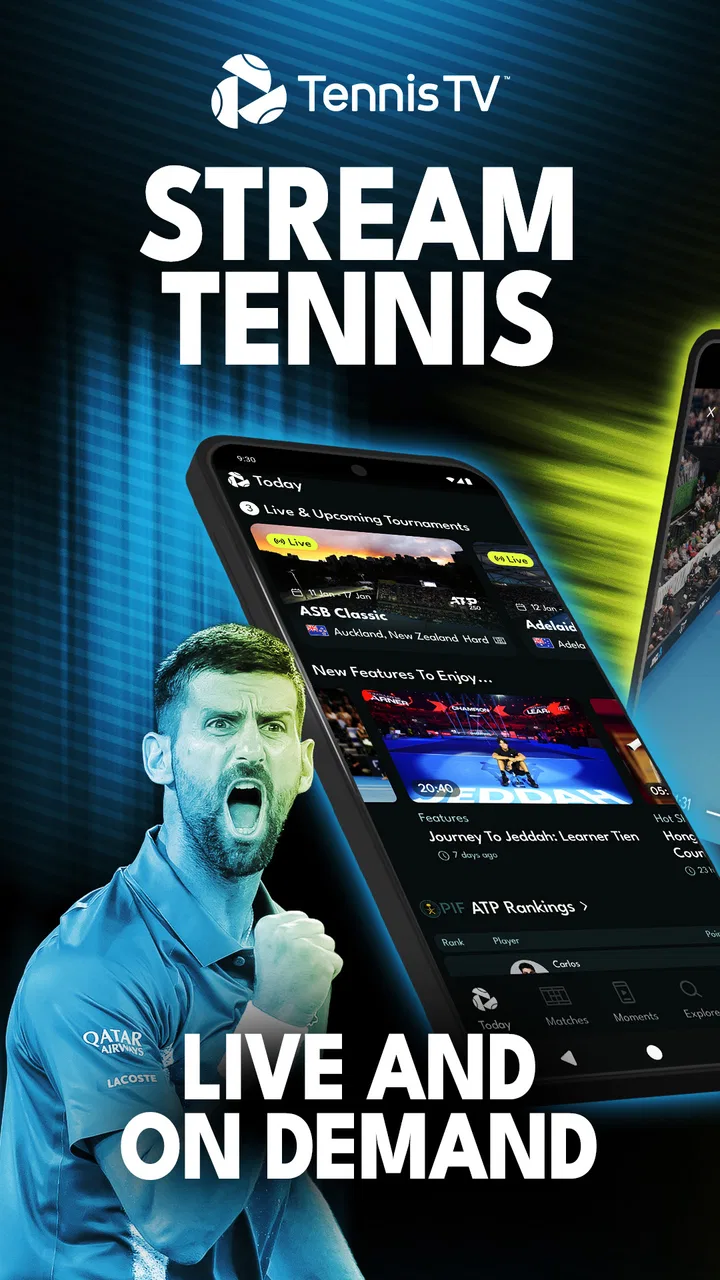
I approached Tennis TV - Live Streaming as a tennis fan who wants more than a quick score notification. ATP Media Operations Ltd presents it as a dedicated sports app for following the ATP Tour through live and on-demand video, and that focus is immediately useful: instead of sorting through a general entertainment service, I can go straight to tennis coverage. It is free to install, suitable for Everyone, and has passed the million-install mark, so it is clearly aimed at a broad audience rather than only serious tournament followers.
My overall impression is positive but selective. This is the kind of app I would recommend to someone who regularly watches men’s professional tennis and wants a focused viewing destination. I would be more cautious with a casual viewer who only watches a few major matches, or with anyone expecting every tennis competition to appear in one place. The app’s value depends heavily on how much live ATP content you actually use and whether the viewing experience fits your connection, device, and personal access needs.
How clearly the app works for different viewers
I look at clarity here as more than whether the menus are easy to read: it also means knowing what kind of viewing the app is built for before you settle in. That distinction can help a dedicated ATP follower decide whether its focused approach fits, while giving occasional viewers a fair way to judge its limits. It also leads to a practical question: which viewing situations make that focus most worthwhile?
You May Also Like

 Blood Strike: 2.5 Anniversary
Blood Strike’s Loadouts Turn Every Drop Into a Tactical Gamble
A close look at Blood Strike’s custom loadouts: how fast access to signature weapons reshapes its battle royale rhythm, rewards preparation, and narrows the gap between fights.

 Pandora - Music & Podcasts
Pandora’s Music Is Easy to Start, but Harder to Recover
Pandora’s strength is its low-effort path from a seed to a station. Its weak spot is how much confidence it asks you to place in connection, setup, and quiet recovery.

 8 Ball Pool
 Is Built on Rivalries, Rematches, and Routine
A close look at the rivalries, rematches, shared routines, and unanswered safety questions that turn a quick pool match into a persistent mobile community.

 Samsung Music
’s Quiet Strength Is Playing What You Already Own
Its reach comes less from spectacle than from dependable access to a personal library. That simplicity is both the app’s strongest retention engine and its ceiling.

 AccuWeather: Weather Radar
AccuWeather Review: A Quick, Clear Forecast for Everyday Decisions
For everyday plans, the best forecast is the one you can understand quickly. AccuWeather makes rain timing, radar, and local conditions easy to act on, with a few trade-offs.

 Hill Climb Racing
Why Hill Climb Racing Still Turns Crashes Into One More Run
A tiny car, a bumpy hill and one more upgrade: Hill Climb Racing keeps resurfacing because its simple chaos makes every near-miss feel personal.
More From Our News Desk



Readability and navigation make the tennis-first approach worthwhile
The strongest design choice is the narrow purpose. Tennis TV is not trying to be a general sports hub filled with football, racing, news, and unrelated recommendations. When I open a service built around the ATP Tour, I already know what I am looking for: a live match, a replay, or another piece of tournament video. That reduced scope can make the first decision easier, especially for viewers who find broad streaming menus tiring or confusing.
For me, the most practical way to use it is with a clear plan. I decide whether I want something live or something already played, then look for the relevant event or match rather than browsing aimlessly. That small habit matters because streaming libraries can become visually busy even when they cover only one sport. If you are watching on a phone, keeping the search goal specific also reduces the amount of scrolling and repeated menu checking.
The official live-and-on-demand focus is important here. Live viewing suits a fan who wants to follow a match as it happens, while on-demand access is more forgiving when work, school, travel, or time-zone differences get in the way. I particularly like that combination for a busy day: I can treat a match as something to watch when I have a proper break instead of assuming I must be free at the scheduled start.
At the same time, a dedicated tennis app is not automatically easier for everyone. A new user may still need to learn where current matches, completed matches, and other video choices are separated. Tennis itself also creates navigation challenges because one tournament can contain several courts and overlapping matches. The app’s usefulness improves when I know the player or event I want before opening it. Without that preparation, browsing can feel less direct than simply checking a familiar television guide.
The app’s average rating is 3.1 from about 7,600 ratings, with 353 written reviews. I read that as a reason to keep expectations realistic rather than as a final verdict. A rating in that range suggests that the experience is not equally smooth for every viewer, and streaming quality, account access, device behavior, or expectations about coverage can all affect how people judge a service. I would test the basic navigation and playback flow before committing to regular use.
Text, visual hierarchy, and the needs of low-vision viewers
For readability, I would use the largest comfortable screen available. A phone is convenient for checking a match while away from home, but a tablet or television is more comfortable for long sessions and makes player names, event labels, and playback controls easier to inspect. This is not a special trick for Tennis TV; it is a realistic way to reduce visual strain when the main purpose is watching rather than simply checking a result.
I also recommend turning the viewing environment into part of the setup. Glare from a window, a dim screen, or a crowded background can make small interface elements harder to distinguish. A viewer with limited vision may find the app more manageable when the device is positioned close enough for comfortable reading and the screen is kept at a stable angle. If the interface or video controls feel too small, moving to a larger display is likely more useful than repeatedly zooming or leaning toward the phone.
I would not assume that every label, icon, or control will be equally clear for every person. People with low vision, color-vision differences, or cognitive fatigue may need more time to identify the active match and understand where they are in the playback process. My practical advice is to choose one viewing route and repeat it: open the event, select the match, then use the playback controls rather than exploring every section during a live point.
That routine also helps older viewers who are comfortable with television but less comfortable with app navigation. I would set up the service with them before an important match, show them how to reach live coverage and how to return to an on-demand video, and avoid introducing unnecessary settings at the same time. The app is more approachable when it becomes a short sequence of familiar actions instead of a large catalogue to decode.
Motor and sensory considerations during playback
Watching tennis can place different demands on the viewer than reading a static article. A person with limited hand movement may find repeated tapping, scrubbing, or navigating small controls frustrating, particularly when trying to start a match quickly. I would prepare the stream before settling in, use a stable stand for the device, and avoid holding a phone for an entire match. Those changes reduce the number of precise movements needed while keeping the app’s main purpose intact.
For viewers sensitive to sound, the match environment deserves attention. Tennis broadcasts naturally include crowd noise, commentary, ball strikes, and sudden changes in volume. I would begin at a low volume and adjust gradually rather than starting loudly. Headphones can help some people keep the sound private and controlled, while others may prefer speakers so they do not feel pressure from wearing them for a long session. The right choice depends on the viewer, but the important point is that a live sports stream can be more intense than a quiet on-demand programme.
People who are sensitive to fast movement may also need a different viewing rhythm. The ball travels quickly, and a long match can be visually demanding even when the picture is clear. On-demand viewing is especially useful in that situation because I can pause, take a break, or return later instead of treating the match as an uninterrupted test of concentration. That is one of the app’s most meaningful inclusive advantages: the content can fit the viewer’s pace when the viewing mode allows it.
Someone who cannot rely on audio should think carefully about whether the visual presentation alone gives enough context for comfortable viewing. I would not promise that every part of a live broadcast will be equally understandable without sound. A viewer who needs spoken information converted into text should check the actual playback experience on their device before depending on the app for a major match. The same caution applies to anyone who needs a particular control method or assistive setup.
Situational access is where the service earns its place
The most convincing everyday use case for me is a delayed evening watch. Imagine finishing a shift after a match has already started, opening the app at home, and choosing on-demand viewing instead of searching social media for scattered clips. That workflow respects the viewer’s schedule and keeps the tennis in one focused place. It is also less stressful than trying to follow a live score while avoiding spoilers.
Live streaming is more useful in other situations. I might watch a match during a quiet lunch break, follow a decisive stage of a tournament while travelling, or keep up with a player when I am away from my usual television setup. A phone makes that possible, but I would treat mobile viewing as a convenience rather than the ideal format for every match. Screen size, battery use, public noise, and an unstable connection can all reduce the enjoyment.
Connection quality is a practical accessibility issue, not merely a technical detail. A viewer with limited or expensive mobile data may prefer to watch on a trusted Wi-Fi connection, especially for a long match. Someone travelling should also avoid assuming that a stream will feel as reliable in every location. I would plan around the network available, start playback early enough to solve simple problems, and keep a larger-screen option ready when the match matters.
The free download lowers the barrier to trying the app, but regular viewing can involve in-app purchases ranging from $16.99 to $94.99 per item. That makes the decision more serious than the word “free” might suggest. I would install it first, explore the available viewing path, and only then decide whether the cost fits my tennis habits. A person who watches one occasional match may prefer a different way to follow the sport, while a dedicated ATP viewer may see more value in a focused service.
The Everyone age rating makes the app broadly suitable from an age-classification perspective. That does not mean every family will find the viewing experience equally easy. A child, an older adult, or a viewer who needs support with navigation may still benefit from someone helping with the first setup and explaining the difference between live and on-demand viewing. Inclusive access is often improved by a simple shared routine, not just by the app itself.
Where the remaining barriers become noticeable
The biggest limitation is scope. This is an ATP Tour service, so it is not the right single destination for someone who wants every level of tennis, every major event, or a complete mix of men’s and women’s competitions. A general sports platform, a broadcaster with broader rights, or a tournament-specific option may suit that viewer better. I would choose Tennis TV for focused ATP following, not as a universal replacement for all sports subscriptions.
The second barrier is the difference between installing an app and having a complete viewing solution. The download costs nothing, but the available purchases mean a regular viewer needs to consider the financial commitment. I would not recommend buying access simply because the app is official or because a match is popular. First ask how often you will watch, whether on-demand viewing matters to you, and whether your current television or sports service already covers the events you care about.
Streaming also creates unavoidable dependence on the device and network. Someone with an older phone, limited storage, weak connectivity, or difficulty operating touch controls may have a harder time than a viewer using a modern television setup. I would test a short viewing session before planning around the app for travel or an important match. That trial can reveal whether the screen, sound, controls, and connection are comfortable enough for a full session.
Another trade-off is concentration. A dedicated tennis service removes unrelated sports from the menu, which is helpful, but it also means the app is less useful when my interests change. If I want news, multiple sports, or a single bill covering several kinds of entertainment, a broader service may be more convenient. Tennis TV makes sense when its specialization is an advantage rather than a restriction.
I would also avoid judging the service only by whether it opens successfully. The real test is the complete chain: finding the intended match, starting playback, hearing or seeing the action comfortably, managing interruptions, and returning later without confusion. For viewers with access needs, that full chain matters more than a polished first screen. A service can be appealing in principle and still be tiring if one essential step is difficult.
Who I would recommend it to
I would recommend the app to a committed ATP follower who wants live and on-demand tennis in a focused environment. It is particularly suitable for someone whose schedule changes, because on-demand viewing can turn a fixed broadcast time into a more flexible routine. It also suits viewers who dislike general streaming menus and would rather open a sport-specific destination with a clear purpose.
I would recommend a trial-minded approach for families and shared households. One person may value live matches, another may need delayed viewing, and a third may prefer a larger screen or lower sound. Before paying for an in-app purchase, I would make sure the app fits the household’s actual devices and that everyone who needs help can reach the content without repeated assistance.
I would skip it as my main choice if I only watch occasional highlights, need broad sports coverage, or want a service that automatically solves every accessibility requirement. I would also look elsewhere if the purchase range does not fit my budget or if my internet connection is unreliable. In those cases, a broadcaster or platform already included in my routine may be less exciting but more practical.
My inclusive verdict after using it as a focused sports app
The best reason to choose Tennis TV is control over when and where I follow ATP tennis. Live viewing preserves the shared feeling of a match in progress, while on-demand access is more forgiving for people with work, care responsibilities, different energy levels, or sensory needs. The focused catalogue can make the service easier to understand than a broad entertainment app, particularly when I begin with a specific player or event in mind.
Its inclusive value has limits. I would not claim that a dedicated sports app automatically works equally well for people with low vision, limited mobility, hearing differences, cognitive fatigue, or unreliable connectivity. The practical experience depends on the device, playback setup, network, and the viewer’s preferred way of receiving information. Testing the navigation and a short video before purchasing is the sensible approach.
In the end, I see this as a specialized tool rather than a complete tennis ecosystem for every possible viewer. The free installation makes it easy to explore, the Everyone rating keeps the audience broad, and the ATP focus gives serious fans a clear destination. But the modest 3.1 average, the paid items, and the limits of a streaming-first experience are useful reminders to judge it by your own routine. If ATP matches are a regular part of your week and flexible viewing matters, I think it is worth trying. If you need wider coverage, simpler costs, or stronger certainty about specific access needs, another viewing option may be the better fit.
For my own use, I would keep the app ready for planned matches, use a larger screen whenever possible, and rely on on-demand viewing when live television is not practical. That combination makes the service feel purposeful instead of demanding. Tennis TV works best when its focused ATP coverage matches both your tennis interests and the way you actually watch.
FAQs for Tennis TV - Live Streaming
01What is Tennis TV - Live Streaming, and what can I watch on it?
Tennis TV - Live Streaming is the official streaming service focused on ATP Tour tennis. After installing the app, users can follow live matches, watch replays and highlights, check upcoming schedules, and browse tournament-related content. Coverage may include singles and doubles matches, although availability can depend on the tournament, your location, and the current broadcast rights.
02Does Tennis TV require a subscription, or can I watch matches for free?
The app can usually be downloaded for free, but most live matches and full replays require a paid Tennis TV subscription. Depending on the market and promotion available at the time, users may find monthly, annual, or other subscription options. Some highlights, previews, scores, or selected clips may be available without payment, but free access should not be confused with complete tournament coverage.
03Which devices and platforms are supported by Tennis TV?
Tennis TV is designed for mobile viewing on compatible Android and iOS smartphones and tablets, and the service may also support web browsers and selected smart TVs or streaming devices. Compatibility can vary by operating system version, device model, and region. Before subscribing, check the current requirements in your app store and confirm that your preferred television or casting setup is supported.
04Can I watch Tennis TV matches live from any country?
Live availability is not identical worldwide because sports broadcasting rights differ by territory. Some tournaments or matches may be restricted in certain countries, even when they are included in the general Tennis TV service. The app normally indicates available content based on your location, but users should review the regional terms and blackout information before purchasing a subscription, particularly if they travel frequently.
05What internet connection and features are needed for a good viewing experience?
A stable broadband or mobile-data connection is important for smooth live streaming. Wi-Fi is generally preferable, especially for long matches or high-quality video, while mobile streaming can consume a significant amount of data. Depending on the device and app version, Tennis TV may offer live scores, multiple video qualities, match replays, highlights, notifications, Chromecast or AirPlay support, and viewing options that help reduce buffering.
Pros
- Official ATP Tour coverage with reliable match streams.
- Live scores
- schedules
- draws
- and rankings are easy to check.
- Replays and highlights help you catch matches you missed.
- Supports casting to compatible TVs and larger screens.
- Useful alerts can notify you about upcoming matches and results.
Cons
- Live coverage may be restricted in some countries due to broadcast rights.
- A subscription is required for most premium live content.
- Video quality depends heavily on your internet connection.
- Some matches may start late because of schedule changes or delays.
- The app can use significant mobile data when streaming over cellular networks.

Tennis TV - Live Streaming
Gallery